
-
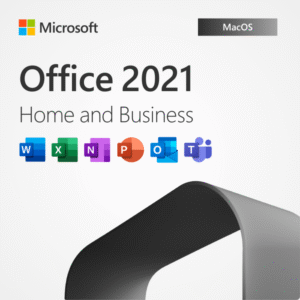
Office 2021 Home Business Lifetime (Bind Key) for MAC
- You can use this product key in all countries.
- This key is for Mac OS only. For Windows Buy Microsoft Office 2021 Pro Plus.
- This product gets linked with your Microsoft account. After formatting/reseting your Mac, when you login with same Microsoft account Office Applications will be activated automatically.
How to Activate after Purchase from KeySewa ?
Step 1: Open Safari or Any Web Browser, Go to setup.office.com
Step 2: Login with your Microsoft account
Step 3: Enter the product key
Step 4: Download and Install Office Applications from https://account.microsoft.com/services/
Step 5: After installation gets completed open any app (For Example: Word) and Login with your Microsoft Account. The App will automatically detect your license and your All Microsoft Office Apps will be activated.
₨15,500.00 -
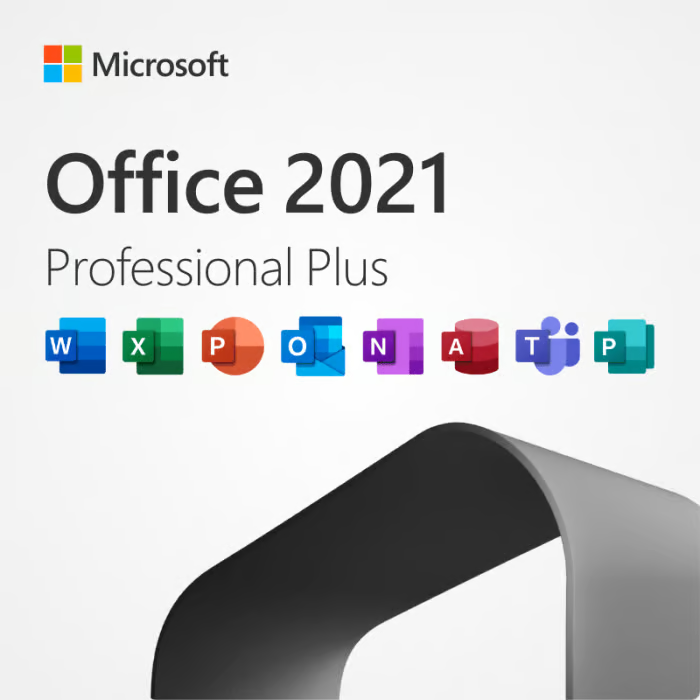
Office 2021 Pro Plus Lifetime (Bind) Key
- You can use this product key in all countries.
- This key is for Windows PC Only (Windows 10/11). For MAC, buy Office 2021 Home Business.
- This product gets linked with your Microsoft account. After formatting/reseting your Mac, when you login with same Microsoft account Office Applications will be activated automatically.
How to Activate after Purchase from KeySewa ?
Step 1: Open Chrome or any Web Browser, Go to setup.office.com
Step 2: Login with your Microsoft account
Step 3: Enter the product key
Step 4: Download and Install Office Applications from https://account.microsoft.com/services/
Step 5: After installation gets completed open any app (For Example: Word) and Login with your Microsoft Account. The App will automatically detect your license and your All Microsoft Office Apps will be activated.
₨15,500.00Office 2021 Pro Plus Lifetime (Bind) Key
₨15,500.00 -

Microsoft 365 Family
Microsoft 365 Family includes up to 6 TB of cloud storage (1 TB per person), advanced security features, and innovative apps for you and your family, all in one plan.
- 6 Users can be created (1 Organizer + 5 members)
- Each user can use on up to 5 devices simultaneously
- Works on PC, Mac, iPhone, iPad, and Android phones and tablets
- Word, Excel, PowerPoint, and OneNote with offline access and premium features
- 50 GB Outlook Mail Storage and Ad-free Secured Mail.
- Premium, customizable templates
- Microsoft Editor advanced spelling, grammar, and writing assistance
- Microsoft Defender advanced security for your personal data and devices
- Clipchamp video editor with premium filters and effects
- Find more details about this subscription from Microsoft’s Official Website.
₨15,000.00Microsoft 365 Family
₨15,000.00 -

Office 2019 Pro Plus Lifetime (Bind) Key
- You can use this product key in all countries.
- This key is for Windows PC Only (Windows 10/11). For MAC, buy Office 2019 Home Business.
- This product gets linked with your Microsoft account. After formatting/reseting your Mac, when you login with same Microsoft account Office Applications will be activated automatically.
How to Activate after Purchase from KeySewa ?
Step 1: Open Chrome or any Web Browser, Go to setup.office.com
Step 2: Login with your Microsoft account
Step 3: Enter the product key
Step 4: Download and Install Office Applications from https://account.microsoft.com/services/
Step 5: After installation gets completed open any app (For Example: Word) and Login with your Microsoft Account. The App will automatically detect your license and your All Microsoft Office Apps will be activated.
₨9,500.00Office 2019 Pro Plus Lifetime (Bind) Key
₨9,500.00 -

Office 2016 Pro Plus Lifetime (Bind Key)
- Permanent Activation for 1 Windows Device Only.
- License can be transferred to new Device when your old Device gets damaged.
- Can be activated on Windows 10/11 (32 & 64 Bits) Devices.
- This product gets linked with your Microsoft account. After formatting/reseting your PC, when you login with same Microsoft account Office Applications will be activated automatically.
- We will provide all instructions regarding activation process.
₨6,500.00Office 2016 Pro Plus Lifetime (Bind Key)
₨6,500.00 -

Office 2021 Pro Plus Standard 5PC-Retail
- Single License Key that can be used to activate office 2021 pro plus in 5 different PCs.
- Permanent activation until the PC is formatted. One Time Activation Only. ( Key may not work after formatting of PC or Repair/uninstall of the product). For Lifetime Microsoft Account Bind key, Visit Here.
- Activation by Online Activation Method or Phone Activation Method.
- All Countries Supported
- Apps included: Word, Excel, PowerPoint, Outlook, Publisher, Access, and Microsoft Teams
- Works with Windows 10/11 only
- Windows PC only (doesn’t work on MAC)
₨5,000.00Office 2021 Pro Plus Standard 5PC-Retail
₨5,000.00 -
OneDrive ( 1TB )
Upgrade Your Microsoft OneDrive Storage upto 1TB. This is one Year Microsoft 365 Subscription.
- Activated on your Email ID.
- 1 Year Office Apps + 1TB Onedrive Included
- Instant Delivery
- Genuine Subscription
- 1 Year Full Guarantee & Support
₨3,500.00₨7,299.00OneDrive ( 1TB )
₨3,500.00₨7,299.00 -
Microsoft 365 Personal
Get your Microsoft 365 on your Personal Microsoft Account at Best rate in the Market.
- 1 Year Genuine Subscription
- Activated On your Email + 1TB Cloud Storage
- Use on up to 5 devices simultaneously
- We invite you from our Microsoft 365 Familiy Subscription.
- Works on PC, Mac, iPhone, iPad, and Android phones and tablets
- Word, Excel, PowerPoint, and OneNote with offline access and premium features
- 50 GB Outlook Mail Storage and Ad-free Secured Mail.
- Premium, customizable templates
- Microsoft Editor advanced spelling, grammar, and writing assistance
- Microsoft Defender advanced security for your personal data and devices
- Clipchamp video editor with premium filters and effects
- Find more details about this subscription from Microsoft’s Official Website.
₨3,500.00₨7,299.00Microsoft 365 Personal
₨3,500.00₨7,299.00 -

MS Project 2019 Pro Lifetime Bind Key
- You can use this product key in all countries.
- This key is for Windows PC Only (Windows 10/11). Not for MAC.
- This product gets linked with your Microsoft account. After formatting/reseting your PC, when you login with same Microsoft account MS Project 2019 Pro will be activated automatically.
How to Activate after Purchase from KeySewa ?
Step 1: Open Chrome or any Web Browser, Go to setup.office.com
Step 2: Login with your Microsoft account
Step 3: Enter the product key
Step 4: Download and Install Office Applications from https://account.microsoft.com/services/
Step 5: After installation gets completed open Project App and Login with your Microsoft Account. The App will automatically detect your license and your MS Project 2019 Pro will be activated.
₨3,000.00MS Project 2019 Pro Lifetime Bind Key
₨3,000.00 -
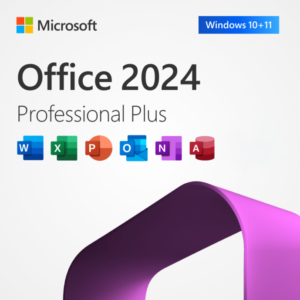
Office 2024 Pro Plus Standard Key
- Permanent activation until the PC is formatted. One time Activation Only. ( Key may not work after formatting of PC or Repair/uninstall of the product).
- Activation By Online Activation Method or Phone Activation Method.
- All Countries Supported
- Apps included: Word, Excel, PowerPoint, Outlook, Publisher, Access, and Microsoft Teams
- Works with Windows 10/11 only
- Windows PC only (doesn’t work on MAC)
₨1,500.00Office 2024 Pro Plus Standard Key
₨1,500.00 -

Office 2021 Pro Plus Standard Key
- Permanent activation until the PC is formatted. One time Activation Only. ( Key may not work after formatting of PC or Repair/uninstall of the product).
- Activation By Online Activation Method or Phone Activation Method.
- All Countries Supported
- Apps included: Word, Excel, PowerPoint, Outlook, Publisher, Access, and Microsoft Teams
- Works with Windows 10/11 only
- Windows PC only (doesn’t work on MAC)
₨1,200.00Office 2021 Pro Plus Standard Key
₨1,200.00

